English | [中文](../../cn/springsecurity/lab-work.md) | [Русский](../../ru/springsecurity/lab-work.md)
# Spring Security Lab Work
Welcome to the Spring Security Lab Work! The goal of this series of tasks is to help you practice and get know to Spring Security, and make an enough startup project. Whether you're a beginner or looking to enhance your skills, these hands-on tasks will guide you through various aspects of security integration in a Spring application.
## Goal of the Lab Work
The primary goal of this lab work is to provide you with practical experience and proficiency in using security within a Spring environment. Spring Security is widely utilized for authentication, authorization and securing your project, and through these tasks, you will gain valuable insights into its configuration, authentication, authorization, and more.
## Practice Tasks
1. [Task 1: Configure Spring Security](practice/configure-spring-security.md)
2. [Task 2: Create a Base Implementation for User](practice/base-implementation-user.md)
3. [Task 3: Password Encryption](practice/password-encryption.md)
4. [Task 4: Add a Dummy Users](practice/add-dummy-users.md)
5. [Task 5: Create Identity to Users](practice/create-identity-to-users.md)
6. [Task 6: Create a Base for Authorization in Server](practice/setup-server-authorization.md)
7. [Task 7: Authorize Authenticated Users](practice/authorize-server-authenticated.md)
8. [Task 8: Authorize by Role](practice/authorize-server-role.md)
9. [Task 9: Authorize by Authority](practice/authorize-server-authority.md)
10. [Task 10: Configure Thymeleaf Security](practice/configure-thymeleaf-security.md)
11. [Task 11: Authorize Authenticated Users](practice/authorize-client-authenticated.md)
12. [Task 12: Authorize by Role](practice/authorize-client-role.md)
13. [Task 13: Authorize by Authority](practice/authorize-client-authority.md)
14. [Task 14: Custom Login Form](practice/custom-login-form.md)
## Lab Work Tasks
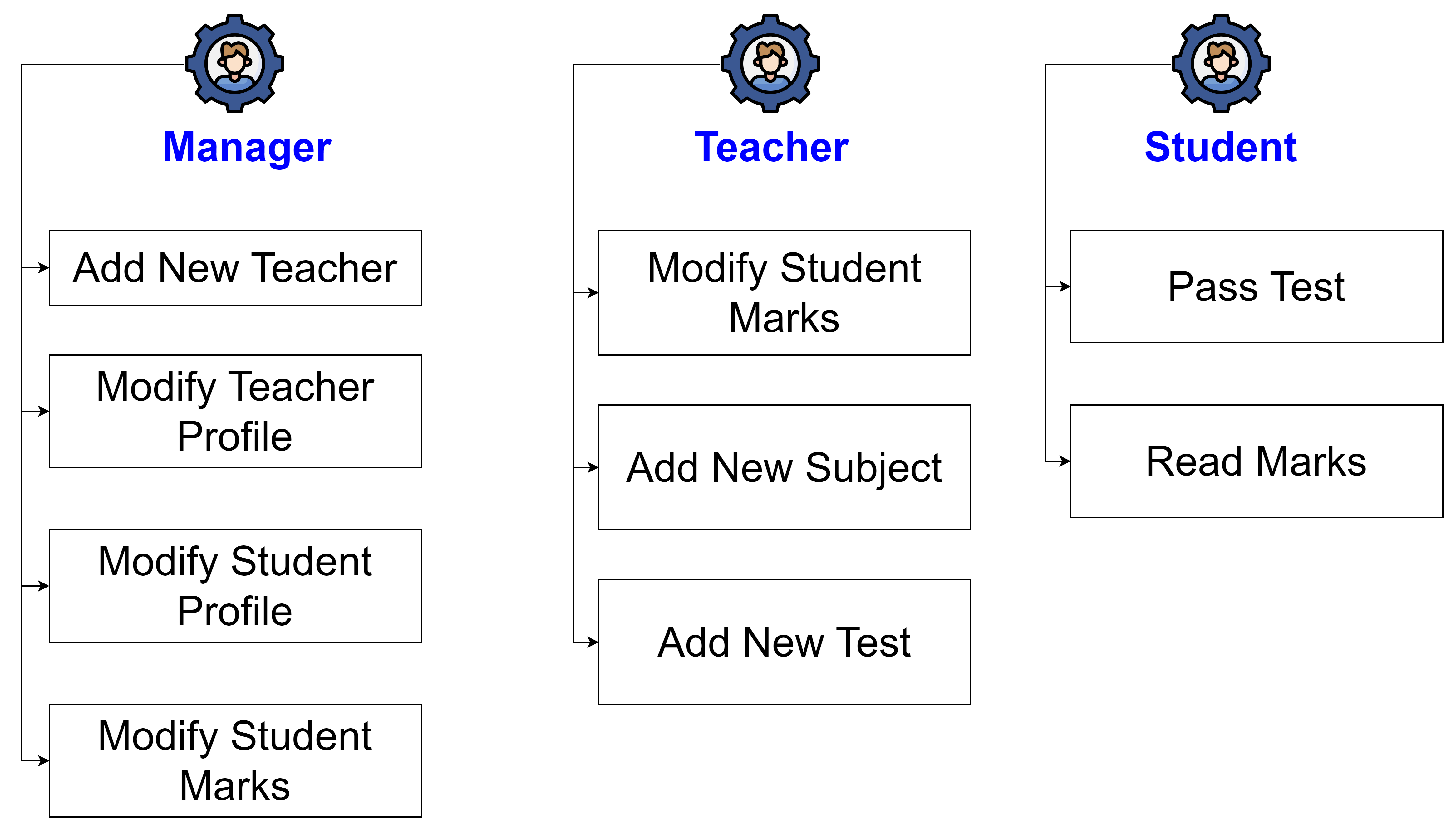
### Task 1: Setup Spring Security
Initialize Spring Security in your project.
### Task 2: Define User Roles and Authorities
Define different user roles (Manager, Teacher, Student) and their respective authorities.
### Task 3: Configure Security in Controllers
Protect endpoints using role-based access control.
#### Implementation Details
**Manager Role**:
- Add New Teacher (`/teachers/new`)
- Modify Teacher Profile (`/teachers/{id}/edit`)
- Modify Student Profile (`/students/{id}/edit`)
- Modify Student Marks (`/students/{id}/marks/edit`)
**Teacher Role**:
- Modify Student Marks (`/students/{id}/marks/edit`)
- Add New Subject (`/subjects/new`)
- Add New Test (`/tests/new`)
**Student Role**:
- Pass Test (`/tests/{id}/take`)
- Read Marks (`/students/{id}/marks`)
### Task 4: Implement Authorization in Thymeleaf Templates
Restrict access to UI elements based on user roles.
### Task 5: Test Role-Based Access Control
Ensure that endpoints and UI elements are correctly protected.